

 Hotline
Pinczow
City
Bike
The Pińczów City Bike is a modern, fully self-service, third-generation system. Everything – from quick registration and rental to the actual return – has been designed to be as simple as possible, giving you pure riding pleasure. You have four bike stations located in the city at your disposal, where you can conveniently start or end your journey. You can unlock the bike itself in the blink of an eye in two ways: by using the physical terminal located directly at the station, or directly via the dedicated "Pińczowski Rower Miejski" mobile app.
See tariff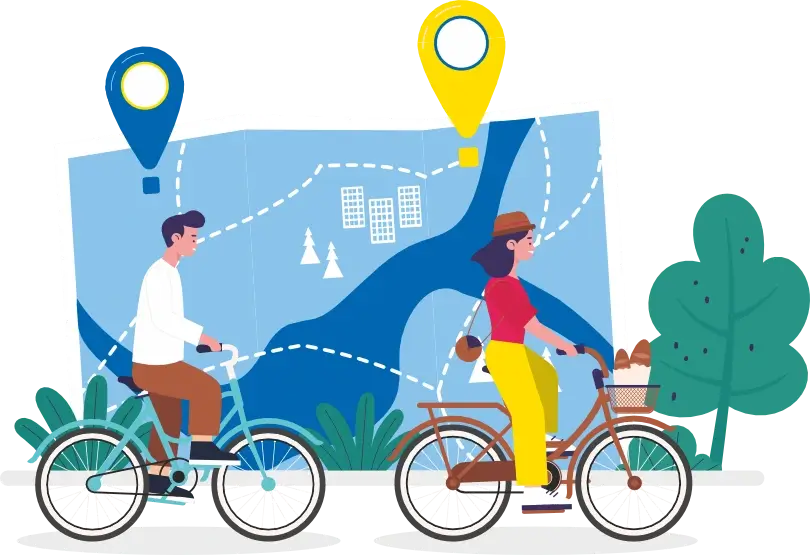
QUICK START
Step 3
Launch the app and scan the QR code on the back of the bike. The electric lock in the station will open automatically
Step 4
After the ride, take the bike to any station. The system will automatically recognize your return and settle the rental

TARIFF (price brutto)
Registration fee 10 PLN
0
pln

0-15 minutes
1
pln
16-60 minutes
1
pln
next hour
200
pln
Over 12h
Mobile
APP
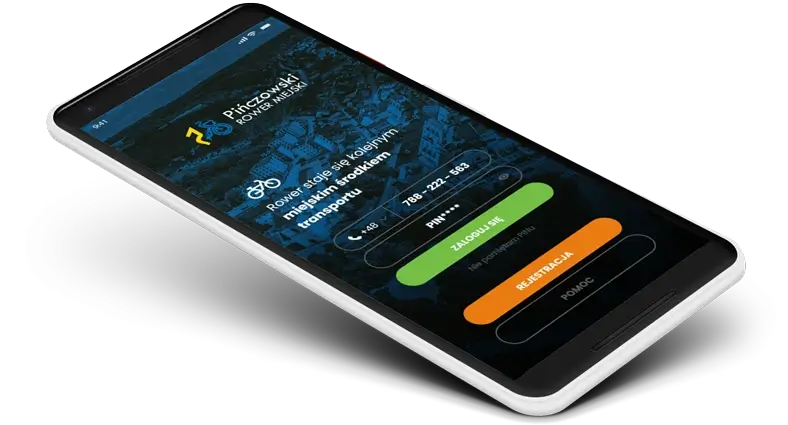
Install the app available on Google Play and the App Store and enjoy complete freedom of movement.


From your smartphone, you can easily register, top up your account, find an available bike on the map, and make a reservation. As simple as possible.
And after a successful ride? Rate your trip by assigning it an appropriate number of stars – your feedback helps us improve the system.
How it works?


Quick start
-
Register via the Pińczowski Rower mobile app or on the pinczowskirower.pl website. Remember to click the activation link you will receive by email.
-
Log in to your newly created account in the app or directly on the website.
-
Pay a minimum registration fee of 10 PLN. To rent a bike and hit the road, you must have at least 1 PLN in your account.

Bike rental
-
Find an available bike at one of the Pińczów City Bike stations.
-
Select the "Rent a bike" option in the app and scan the QR code located at the back of the bike (you can also rent a bike via the station terminal).
-
Wait about 3–5 seconds for the lock to release. The electric lock at the station will open automatically. Take the bike and enjoy your ride!

Bike return
-
Place the bike into an empty stand at any station, pushing the docking adapter firmly into the electric lock.
-
The system will automatically recognize the return, and you will receive a push notification in the app (refresh the app if the status does not change within 60 seconds).
- Is the station full? Use the combination lock to secure the bike to another bicycle at the station and complete the return manually using the terminal's touchscreen.
 FAQ
FAQ
BASICS
- Who should I contact for help?
- What should I do to ride a city bike in Pińczów?
- What are the phone number and PIN as well as login and password used for?
- Is it possible to register without internet access?
- When can I use the Pińczów city bike?
- What is the minimum amount needed to rent a bike?
- How many bikes can I rent at once?
- How many bicycle stations are there in Pińczów?
PAYMENTS
TOP-UP the ACCOUNT
Bike rental
Bike return
We are here to help! In case of any questions or issues related to Pińczów City Bike, please contact our helpline at +48 41 357 27 33.
We wish you a pleasant and safe trip!
Starting your ride with Pińczów City Bike is really simple! Just a few quick steps:
- Register – download our app from Google Play or App Store , or fill out the form in the REGISTRATION tab on the website.
- Activate your account – check your email and click the activation link you receive from us (if you don't see the message, be sure to check your SPAM folder).
- Top up your account – deposit a minimum of 10 PLN (this is the initial fee). If you want to ride longer without worrying about running out of funds for future rentals, we recommend topping up your account with 12–15 PLN right away.
- Rent and hit the road! – head to the nearest Pińczów City Bike station, rent a bike, and enjoy your ride.
This data is used for various tasks in the system. Here is how to use it:
Phone number and PIN: This is your set for quick bike rentals in the mobile app and logging in on the website. Remember to enter the number with the country code, in the format: 48 xxx xxx xxx.
Login and password: These are used exclusively for logging into the full user panel on the website pinczow.filfri.eu.
Important: The PIN code and password are two completely different security measures – remember not to use them interchangeably when logging in to the website.
Unfortunately, this is not possible. Creating an account in the Pińczów City Bike system requires an internet connection. You can only register using our mobile app or directly on the website.
You can use Pińczów City Bike 24 hours a day, 7 days a week! Our cycling season runs continuously from March 1 to October 30.
Just remember that the maximum time for a single, continuous rental is 12 hours. Please do not exceed this limit so that other residents can also use the bikes.
To rent one bike, you must have a minimum of 1 PLN in your account. If your balance is lower, the system will not allow the rental.
Want to rent more bikes on a single account? Ensure an additional 1 PLN for each additional bike (e.g., the minimum balance for 3 bikes is 3 PLN).
Our tip: We suggest maintaining a balance of approx. 12–15 PLN for each rented bike. This allows you to enjoy a longer ride stress-free, without worrying about having to top up your account during the trip.
Within a single account, you can rent a maximum of 4 bikes at the same time. This is a great option if you are planning a family trip or an active weekend with friends!
There are 4 bike stations operating in Pińczów. You can check their exact location and the number of currently available bikes at any time on the interactive map on our homepage or directly in the mobile app.
The pricing for Pińczów City Bike is simple and user-friendly! The best part is that the first 15 minutes of every ride are always free.
-
From 0 to 15 minutes – 0 PLN (you ride for free!)
-
From 16 to 60 minutes – 1 PLN
-
Each subsequent hour – 1 PLN
Important information:
- Rental time is billed on a per-minute basis.
- When creating an account, a one-time registration fee of 10 PLN is required (these are funds that you can immediately use for your rides).
The maximum time for a single rental is 12 hours.
We kindly ask you to keep track of this time so that as many people as possible can use the bikes. Please remember that exceeding this limit will result in an automatic additional fee of 200 PLN.
In the event of a serious violation of the system rules, the following contractual fees may be charged:
-
Cost of total bike replacement (e.g., due to theft or destruction) – 3,000 PLN
-
Fee for removing an unauthorized bike lock (e.g., using your own lock) – 200 PLN
Topping up your account is fast and convenient! You can do it in your panel on the website or directly in the mobile app. You can choose from dozens of secure payment methods, including BLIK, fast bank transfers, and payment cards.
How to top up your account?
-
Log in to your account and go to the TOP UP ACCOUNT tab.
-
Select the amount you want to add to your wallet.
-
You will be redirected to a secure payment gateway, where you can select your preferred method.
-
After a successful transaction, the system will automatically redirect you back to your account.
Make sure the updated balance matches the deposited amount. In case of any discrepancies, contact our helpline at +48 41 357 27 33.
You can do this in two ways: via the station terminal or the mobile app. Remember to register in advance at pinczowskirower.filfri.eu or in the app.
Rental via the station terminal:
-
Wake up the touchscreen by touching it anywhere, and select a language.
-
Enter your phone number with the prefix 48 (format: 48 xxx xxx xxx) and PIN.
-
Enter the number of the selected bike (you will find it on the frame).
-
After the voice message and the display of the combination lock code, release the bike.
Rental via the mobile app:
-
Log in to the app (phone number with prefix 48 + PIN).
-
Select the RENT A BIKE button and enter the number of the selected bike.
-
After a few seconds, you will receive confirmation in the app and a voice message.
Important: To easily release the bike from the rack, first push it slightly forward and then pull it toward you. This does not require much force – the electric lock will open automatically.
Standard return (to an empty stand):
-
Place the bike in an empty stand and insert the docking adapter into the lock.
-
When you hear a distinct click, wait 5 seconds – during this time, the system will read the bike's ID.
-
Pull the bike toward you to ensure it is properly locked.
-
You will hear a voice message: "Thank you for returning the bike". You can also check on the terminal screen whether the rectangle corresponding to your stand is lit up in green.
IMPORTANT: If you have properly docked the bike, you do not need to perform any additional actions – the system will automatically recognize the return and stop charging fees.
Return when the station is full (using a combination lock) If all stands are occupied, you can return the bike in the following way:
-
Approach the station terminal and log in (enter your phone number and PIN).
-
On the screen, select the red RETURN BIKE button.
-
Follow the prompts: select the stand number you are securing the bike to, and enter the number of the bike being returned.
-
Confirm the operation with the ENTER key.
-
Use the combination lock to secure the bike being returned to another bicycle at the station.
-
Your bike will receive a "service" status in the system and will be correctly settled.
Our terminal screens are turned off by default to save energy – this is completely normal! To wake up the station, simply touch the screen anywhere. After about 3 seconds, the main menu will appear, and you can start the bike rental process.
After waking up the screen, at the bottom you will see colored icons (rectangles) indicating the status of individual stands:
-
Green – the bike is available and ready for rental.
-
Blue – the bike is reserved by another user.
-
Red – the stand is empty (no bike) – you can return your bike here.
-
Black – the bike is being serviced and currently unavailable.